15 Popular AR Mobile Games That Can Be Played On VR | The Great Crossover
Popular AR Mobile Games For VR: A Hybrid Gaming Future
As an XR enthusiast and someone who loves to push the boundaries of spatial computing, I constantly look for ways to bring my favorite mobile experiences into the immersive world of my VR/MR headset.
The shift from holding a small phone screen to having a massive, floating display is intoxicating, but the technical leap from phone-based Augmented Reality (AR) to headset-based Mixed Reality (MR) is significant. Most AR mobile games were simply not designed to live in a headset.
Yet, with the right technical bridge, be it streaming, sideloading, or leveraging third-party tools, we can force many popular AR mobile games that can be played on VR into a new dimension. This is not always a perfect solution, and often comes with control compromises, but the sheer novelty makes the effort worthwhile.
Key Takeaways
- Mixed Reality (MR) is the evolution of mobile AR, using full-color passthrough on headsets (like the Quest 3) for a superior blended experience.
- The best MR games translate mobile AR concepts like tabletop strategy and physical shooters into deeply immersive, room-aware experiences.
- MR offers superior depth-sensing and tracking compared to a smartphone camera, allowing virtual objects to interact convincingly with your real environment.
- This format provides the accessibility of AR (playing in your own space) with the graphics and precision of dedicated VR hardware.
The Crucial Distinction: AR Mobile Vs. VR/MR Headsets
Before diving into the games, we need to clarify what we’re trying to achieve.
- AR Mobile (e.g., Phone): Uses a single camera view overlaid with digital content. It relies heavily on GPS location and touchscreen input. The digital layer is essentially "locked" to the phone's viewport.
- VR/MR Headsets (e.g., Quest 3, Vive XR Elite): These rely on passthrough technology (using external cameras to see the real world) and Spatial Anchoring (locking digital content to a fixed point in your physical room). This is true Mixed Reality (MR).
The challenge is that popular AR mobile games were not built to recognize the advanced sensors and spatial tracking of a VR headset. They are looking for a phone’s hardware, so we have to trick them or port them entirely.
Three Technical Methods To Play AR Mobile Games On VR
You can't just download a mobile APK onto a Quest 3 and expect it to work spatially. You need one of these three distinct approaches, each with its own trade-offs in performance and immersion.
Sideloading And Android Emulation
Since headsets like the Meta Quest run on a customized version of the Android operating system, you can often sideload the APK (Android Application Package) file for many mobile games.
- The headset treats the game like a large, flat, 2D virtual screen.
- The game runs natively, but it won't use the headset's cameras for AR; it will use the game's original AR mode, often displaying a blank camera feed or simply running in a fixed window.
- The upside is decent performance; the downside is difficulty with touch controls (since you rely on a virtual pointer).
Screen Mirroring And Casting
This is the simplest way to play popular AR mobile games that can be played on VR, but it’s the least immersive.
- You use an app (like Virtual Desktop or a third-party casting solution) to mirror your phone screen onto a giant virtual screen inside your headset.
- The game thinksit’s running on your phone, so it uses your phone's GPS, cellular connection, and touch controls.
- The primary use case is for games where you need to see your environment and the game map simultaneously, though you must constantly look down and interact with the phone in your hand.
Official Native MR Ports
This is the future and the gold standard. A few companies have taken their popular AR mobile games and officially rebuilt them to utilize the headset's spatial tracking and passthrough capabilities.
- The game runs natively on the headset, recognizes your real room as the playing field, and is controlled by hand tracking or VR controllers.
- This method delivers true, high-fidelity Mixed Realitybut is currently rare due to the development cost and specific hardware required.
Pokémon GO

Pokémon GO is the undeniable king of location-based AR, successfully turning real-world exploration into a captivating digital treasure hunt. The entire experience hinges on the game's map interface, which guides trainers to PokéStops and Gyms placed at real-world landmarks, fostering a global community driven by movement and discovery.
To play this on a VR headset, Screen Casting is the only practical method. Since Pokémon GO relies absolutely on the mobile device’s GPS and active cellular data, you must run the app on your phone while simultaneously mirroring its screen to a large virtual window inside your headset (using apps like Virtual Desktop or the built-in casting features).
The trade-off here is stark: you are still holding and controlling the game entirely on your phone, negating the hands-free benefit of the headset. While the ability to see a massive, high-definition map floating in front of you via the passthrough view is cool, the experience is essentially augmented viewing, not true Mixed Reality.
Jurassic World Alive

This game successfully translates the dinosaur-collecting and battling fun of the Jurassic Worldfranchise into a location-based format. Players use their phone's location services to track and collect DNA from dinosaurs that appear near them in the real world, culminating in strategic turn-based battles against other players. The visual appeal lies in seeing massive dinosaurs rendered realistically in your park or backyard.
Due to its heavy reliance on GPS and touch-based combat, setting this up on a headset also requires the Screen Casting method. The goal is to maximize the visual impact of the turn-based battles by viewing them on a cinema-sized virtual display. You still navigate the map and trigger encounters using your actual phone. Still, when the battle starts, the larger scale within the headset adds a layer of theatricality to the dinosaur encounters.
My critique is that the large, slow-moving UI of the main map translates decently, but the AR camera mode itself is disappointing. Trying to view a full-scale dinosaur through the passthrough camera while simultaneously struggling to control the precise touch-based DNA collection mechanics using a floating virtual pointer, if sideloaded or while holding your phone if streamed, drains the fun quickly. This is a game best streamed for its combat visuals only.
Ingress Prime

As the original AR game from Niantic, Ingress Prime established the core mechanics of location-based gameplay, centered around two factions battling for control of real-world "Portals" at public art, landmarks, and historical sites. It’s a deep, strategic game that involves intense coordination and physical travel, making it the foundation for many later AR titles.
Like its successor, Pokémon GO, Ingress Prime is fundamentally dependent on GPS and real-time network connectivity, making Screen Casting the required pathway to the headset. Players stream their phone's view to the VR environment to monitor the local map for enemy portals and friendly links. The headset provides the unique advantage of offering a distraction-free, full-field-of-view dashboard for the complex strategic map data.
The experience is one of pure utility. The game’s focus on complex, overlapping map links and strategic geometry benefits from the giant screen size provided by VR, making it easier to analyze the battlefield. However, the game itself is mostly a 2D map interface, meaning you gain little from the headset's spatial awareness. You must still physically move and interact with the phone to hack portals, making the headset a high-tech strategy screen rather than a fully immersive AR device.
Angry Birds AR: Isle Of Pigs
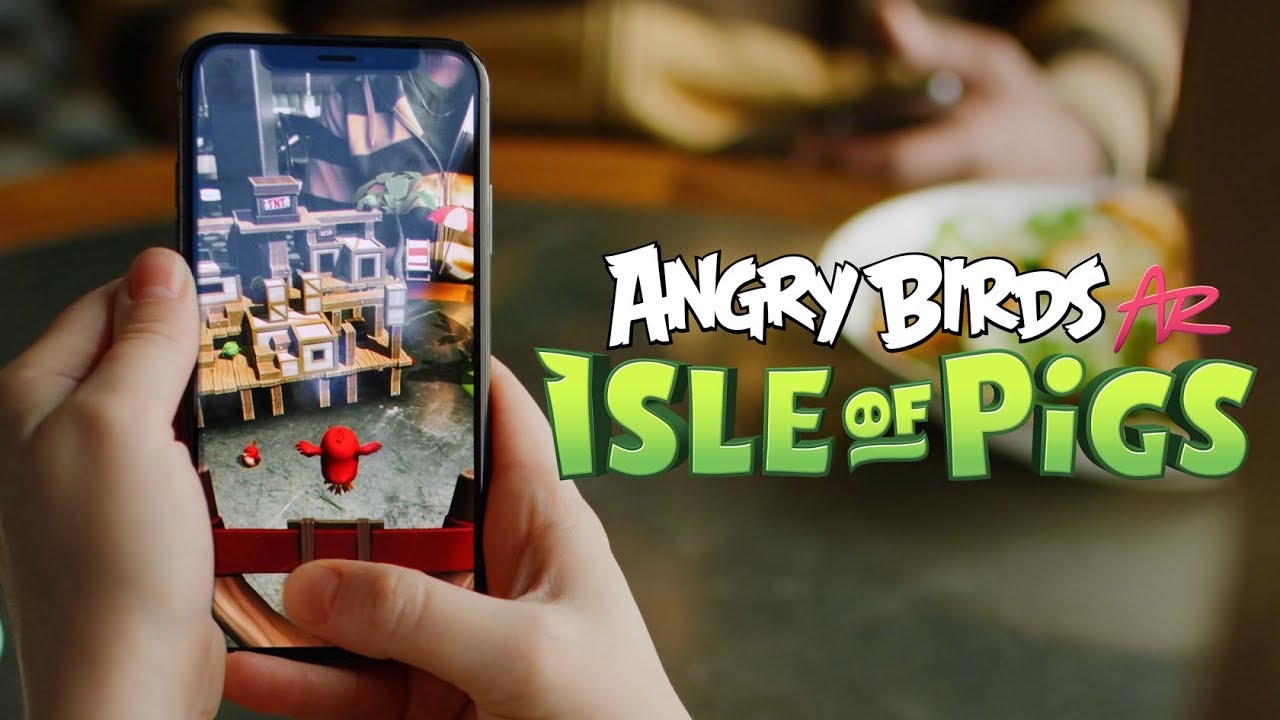
This AR mobile game takes the classic slingshot physics and places the entire structure of blocks, pigs, and birds directly onto a flat surface in your real environment, like a coffee table or the floor. The gameplay involves walking around the physical structure to find the perfect angle for your shot.
This title is one of the few that can be truly enjoyed via Sideloading or is sometimes available as a full Native MR Port on certain platforms, like the Quest Store, often under a slightly different name. The Quest version allows the game structure to be spatially anchored to your real floor using passthrough, letting you walk around the virtual puzzle in your physical room, just as the original AR version intended.
The experience is excellent and demonstrates the best of the AR-to-MR transition. With native support or a successful sideload, the hand-tracking in the headset can replace the touchscreen, allowing you to "grab" and pull the slingshot with your actual hands. The only minor limitation is the visual fidelity of the passthrough feed compared to the phone's native camera, but the ability to use your body to line up shots without holding a phone is a massive improvement in immersion.
The Walking Dead: Our World

Based on the popular TV series, this game combines location-based survival with first-person shooting (FPS) mechanics. Players wander the real world using GPS to find missions and rescue survivors, engaging in small-scale, quick-fire zombie combat using their phone screen as the viewfinder.
Since the combat is a fast-paced, aiming-and-shooting mechanic, achieving a playable framerate and low latency is critical, making sideloading with a Bluetooth Controller the best approach. By installing the APK directly onto the headset and using a paired gamepad, you convert the game into a fixed-window 2D shooter viewed within the VR environment.
This bypasses the awkward touch controls for better aiming precision. For instance, titles like Battlegrounds Mobile India, which rely on similar high-speed FPS mechanics, also benefit significantly from using a paired controller when sideloaded onto a headset, compensating for the lack of native touch support with superior aiming.
The core AR component, seeing zombies in your backyard, is lost when you sideload, as the game runs as a 2D window and often fails to activate the headset's external cameras. However, the sheer size of the virtual screen makes the shooting more intense, effectively turning it into a massive survival shooter where you rely on the controller for tight aiming, compensating for the loss of the real-world backdrop with pure cinematic scale.
Peridot

I'VE GOT PERIDOT!! New Niantic AR Virtual Pet Game!!
Peridot is a charming AR mobile game from Niantic where players raise, care for, and breed unique virtual creatures called Peridots. The game emphasizes walking, feeding, petting, and playing with your digital pet in real-world environments, encouraging daily interaction and movement. The AR element is key to making the creature feel present and alive.
Due to the continuous need for walking, GPS, and intimate touch-based interaction (petting), Screen Casting is again the necessary method. The user needs the phone for the primary input and location data. The headset's role is to provide a large, always-visible window into your pet’s needs while you are out and about or simply walking in your home's pass-through view.
While seeing your Peridot on a giant virtual screen is visually striking, the experience remains hampered by the physical requirement of holding the phone. Trying to gently pet a virtual creature while aiming your gaze through a headset and making contact on a handheld screen creates a confusing and often frustrating control loop. The headset enhances the visual scale but actively interferes with the natural, intimate interaction the game was designed for.
Kings Of Pool AR
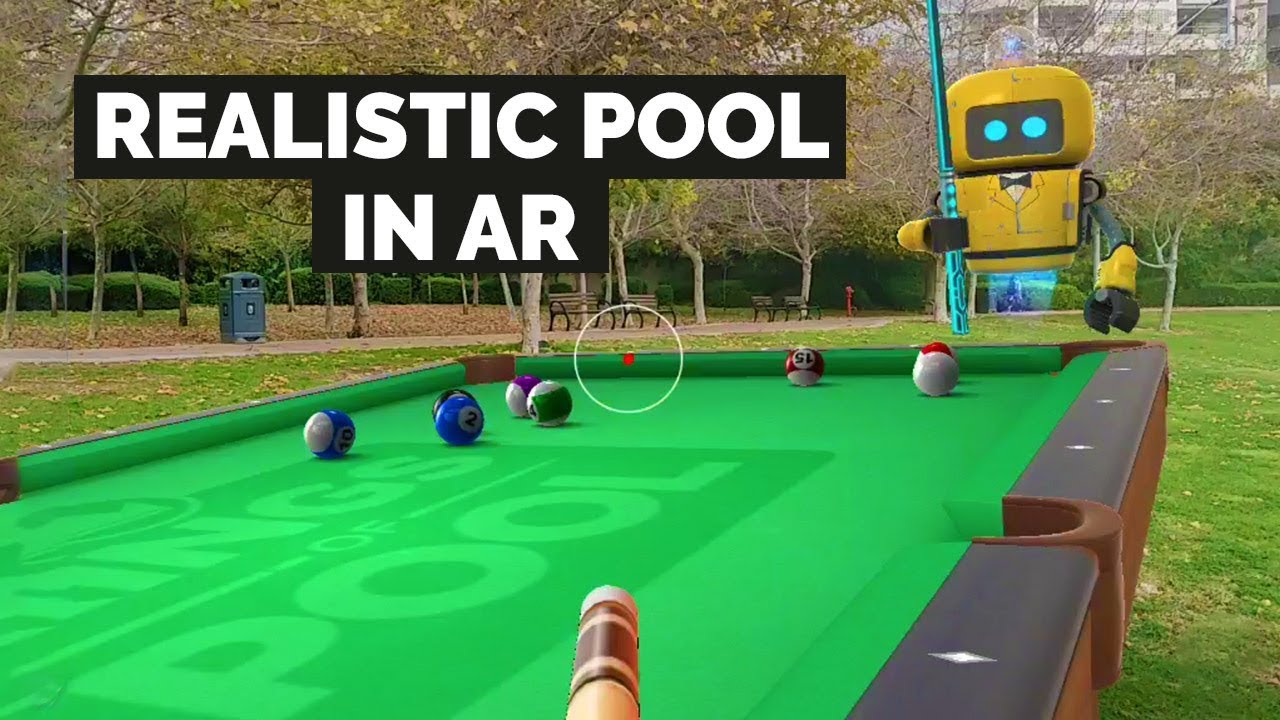
8 Ball Pool Game in AR - Kings of Pool Review (Android/iOS)
This game brings the classic game of 8-ball pool into the real world, leveraging AR to project a full-sized or miniature virtual pool table onto any flat surface, like your kitchen floor. The gameplay benefits from the ability to physically walk around the virtual table to line up shots, mimicking the real sport.
Kings of Pool AR is a strong candidate for a quality Sideloading experience, or by using a VR utility app like Miracle Pool as a native equivalent. By sideloading the Android APK, you can often trick the game into anchoring the table to your floor in the passthrough environment. If native MR is available, the experience is even better, as the hand tracking allows you to use your fingers to position the cue stick.
The major benefit is the hands-free freedom. If you achieve true spatial anchoring, you can walk around the table in your real room without the screen constantly jumping, which is a common limitation of phone AR. The primary hurdle is that the final shot-strength and angle adjustments still require precise virtual input, either a controller or a hand tracking gesture, that may not feel as immediate or natural as a simple touchscreen swipe.
Pikmin Bloom
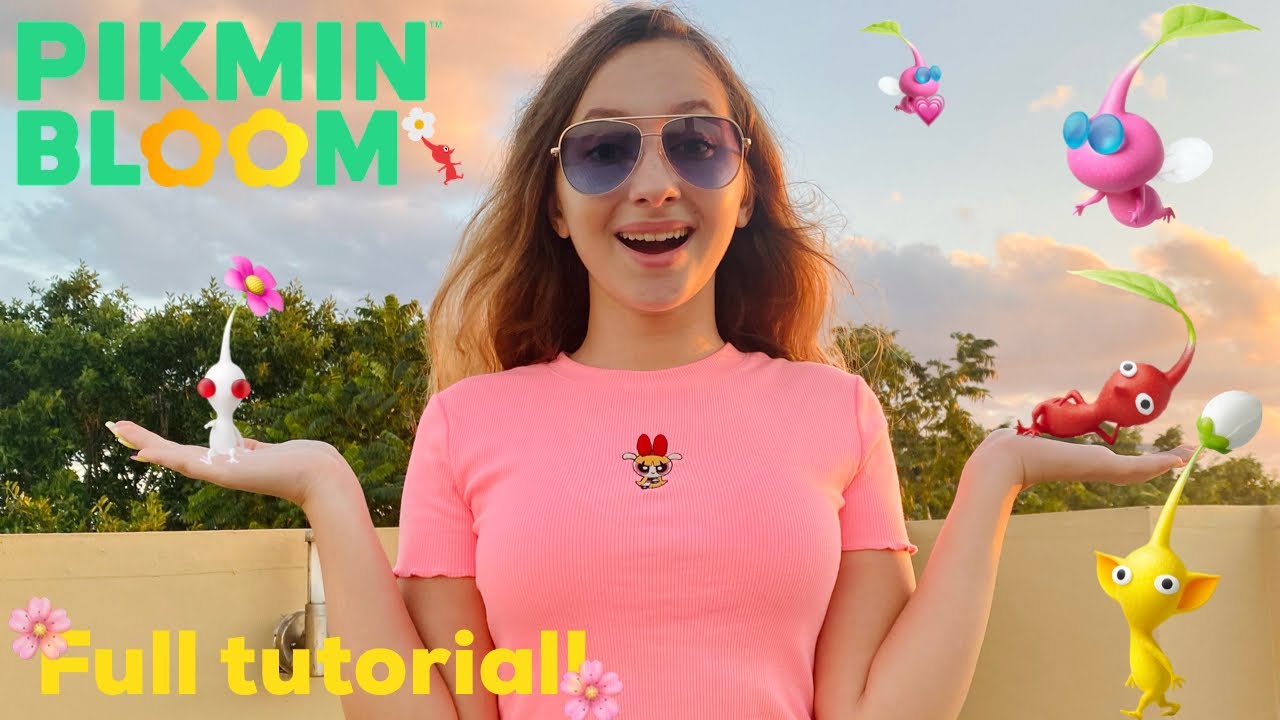
PIKMIN BLOOM!!! 🌱🌷EVERYTHING YOU NEED TO KNOW!! FULL GAME INTRO & TUTORIAL 💯
Pikmin Bloom is another Niantic title that gamifies walking. Instead of catching monsters, you collect and grow virtual plant creatures called Pikmin. The game focuses on planting virtual flowers along your actual route and accumulating walking steps, with AR primarily used for taking photos of your Pikmin in real-world locations.
Since the game's sole purpose is to track steps and location data, and its interface is primarily a map/list-based activity log, the best use in a headset is through Screen Casting. The headset provides a clear, large display to monitor your progress, seedlings, and the flow of your virtual flower trails while you are taking a walk (safely, while using the passthrough feature).
The experience is purely utilitarian. The headset doesn't add anything to the planting or growing mechanics, but it does allow for quick, large-scale checks of your progress without having to pull the phone out of your pocket. The photo-taking AR feature, where you pose Pikmin in the real world, is awkward through the headset’s passthrough camera due to the added bulk and often lower resolution compared to a phone camera.
Orna: The GPS RPG
Orna Playthrough: Episode 1
Orna is a unique entry: a location-based, turn-based pixel-art RPG. Players travel in the real world to claim territories and engage in classic RPG battles against virtual monsters, building up their character and guild. Its old-school aesthetic is a deliberate contrast to the high-fidelity 3D graphics of other AR titles.
The simplicity of the graphics and the turn-based nature of the combat make Orna an excellent candidate for simple Sideloading. When installed via an APK, the game runs perfectly well as a large, fixed-size 2D application within the VR environment, using the headset’s virtual pointer or a connected controller to manage the simple tap-based menus and combat.
The experience is actually quite good because the gameplay loop is entirely divorced from the AR camera view; it only requires GPS location. The headset turns Orna into a massive, private, and portable RPG display. The only limitation is the inherent jankiness of using a controller's cursor to navigate menus designed for a direct touchscreen. However, the stability and low barrier to entry make it one of the most reliable AR-to-VR crossovers.
Father.IO AR Laser Tag
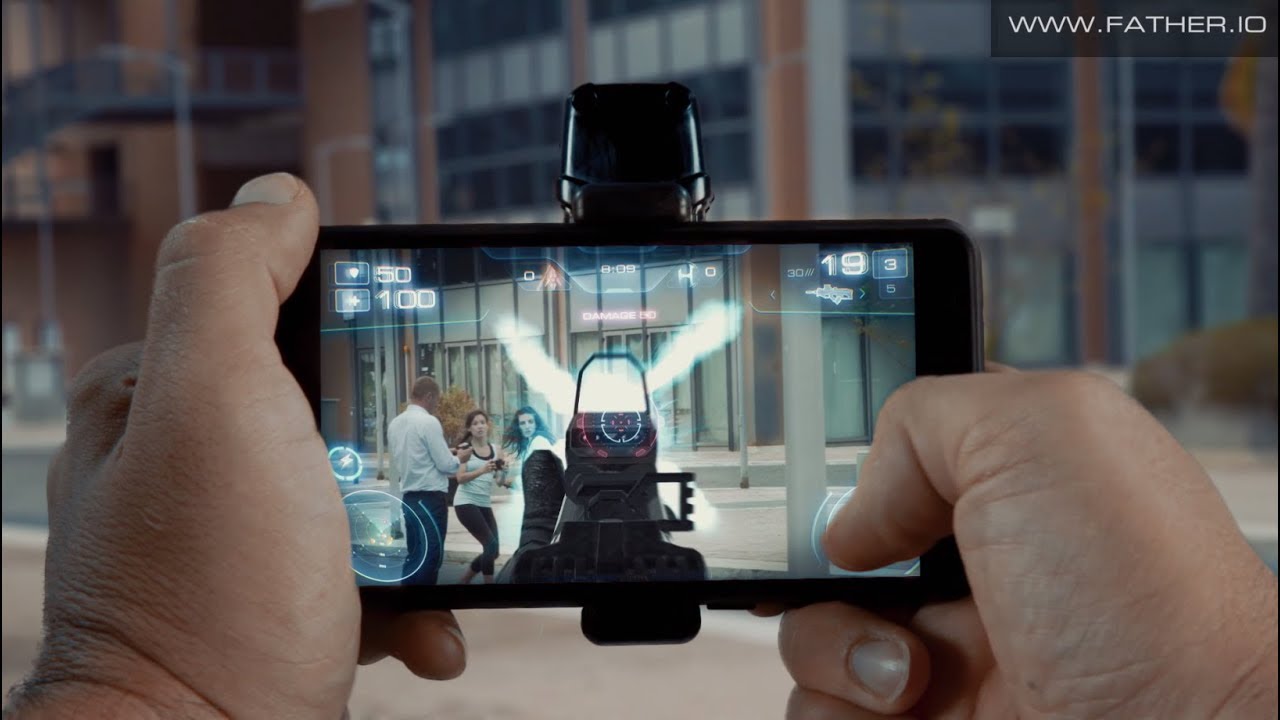
Father.IO AR FPS - REAL LIFE BATTLEGROUNDS!
This ambitious title was designed to turn any real-world location, parks, offices, or homes, into a massive FPS battlefield using AR and an external hardware device, the "Inceptor". Players would see enemy units overlaid on their camera view and engage in tactical laser tag battles.
Assuming you can bypass the now-defunct server issues or find a similar working title, playing this genre in a headset requires an official Native MR Port or a heavily modified Sideload that utilizes the headset’s own spatial tracking. The goal here is to use the headset's passthrough to see your real teammates and opponents while the game renders their digital health bars and HUD information spatially anchored to their bodies.
The actual payoff of an AR FPS is highest in a headset, but the current technology is the hurdle. Without official support, the headset cannot accurately track and register hits based on the game's network, making the experience non-functional as a true multiplayer shooter. Only native MR versions, like Rec Room's various AR modes, truly deliver on the AR laser tag promise.
AR Smash Tanks!
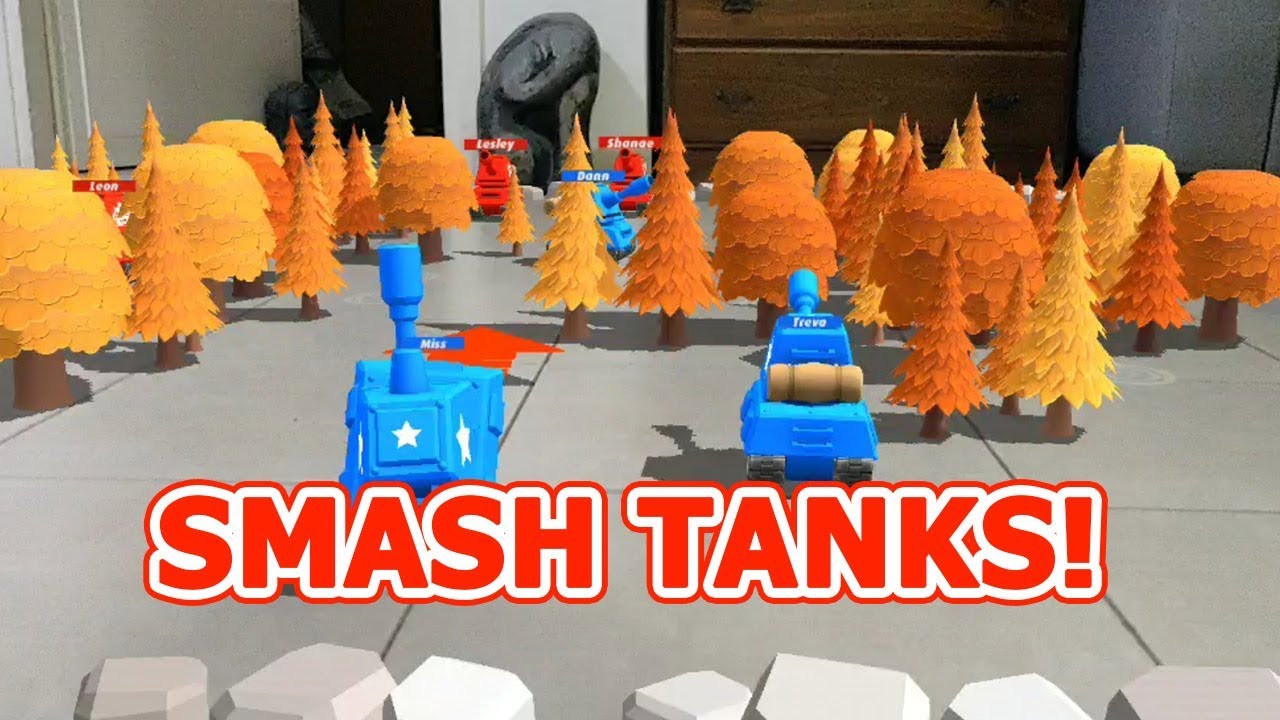
AR Smash Tanks! is a turn-based strategy game where players summon virtual tanks and battle them out on real-world flat surfaces. The core mechanic is flicking and smashing tanks into one another, with the ability to physically peer over the virtual battlefield to assess the optimal trajectory.
This is another title that greatly benefits from either Sideloading or finding a Native MR Equivalent like Demeoor Angry Birds AR. The virtual battlefield, once anchored to your physical table via the headset's passthrough, allows for a truly immersive, room-scale strategy experience.
The experience is far superior to the mobile version because the headset allows for true stereoscopic 3D depth perception of the tanks and terrain. Unlike holding a phone and peering intothe scene, the headset makes the battlefield feellike it exists in your room. The only minor setback is the input, where precise flicking gestures, critical for tank movement, can be slightly less intuitive using hand tracking than a quick touch.
My Tamagotchi Forever
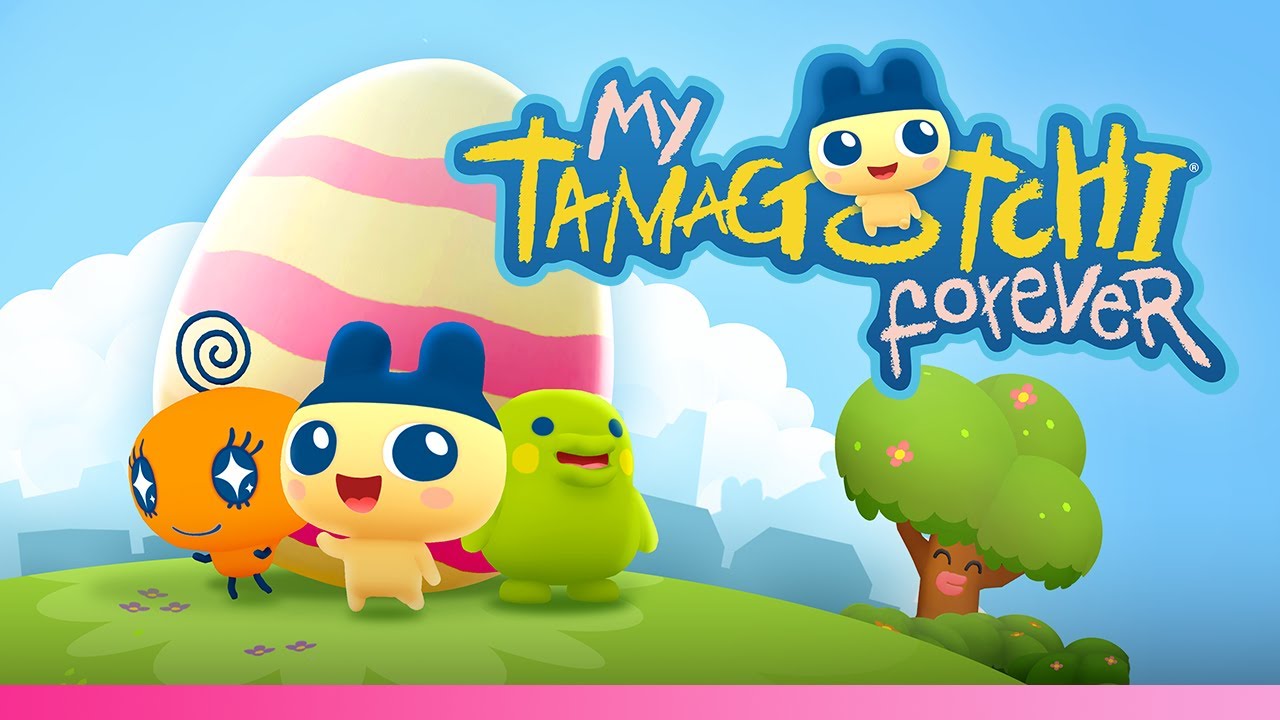
This game brings the classic digital pet experience of Tamagotchi into the modern era, adding AR elements that allow you to interact with your pet and its environment in the real world. You care for, feed, and play with your pet, watching it grow and evolve on your floor or table.
Because the interaction is slow, simple, and visual, Sideloading is a reliable path. The game can be installed as an APK and run as a large 2D virtual window within the headset. While you lose the trueAR placement, the virtual screen size maximizes the visual charm of the pet and its evolving world.
The unexpected benefit of playing this in the headset is the intimacy. Viewing the Tamagotchi on a massive, close-up screen makes the pet feel much larger and more present than on a phone, creating a deeper emotional connection, even if it's confined to a fixed screen. The simplicity of the controls (mostly tapping) means that using the VR controller as a pointer is minimally disruptive.
The Witcher: Monster Slayer (Archived)
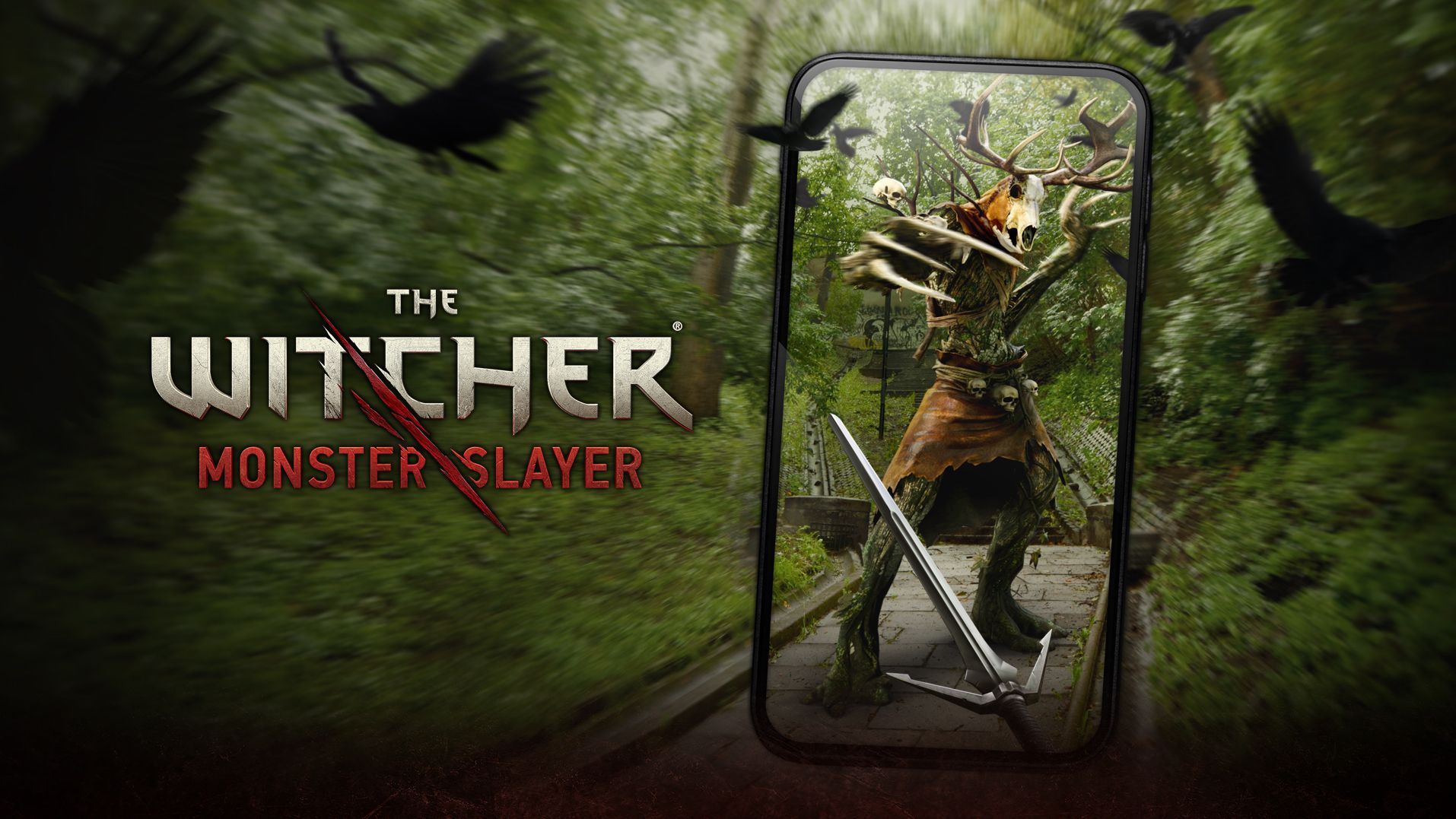
Though this game has been archived, it was a massive Augmented Realitysuccess, blending high-quality graphics and deep lore with location-based mechanics, much like Pokémon GO. Players took on the role of a Witcher, tracking and slaying large monsters that appeared in their environment using their phone's camera view.
For those who managed to keep a playable version, the best way to experience the high-quality monster battles in a headset is through Screen Casting. The goal is to maximize the visual spectacle of the monster encounter, which benefits greatly from the giant screen size. The actual combat requires precise swiping on the phone screen to block and attack, which is too demanding for a sideloaded, pointer-based control scheme.
The main value is purely in the visual upgrade of the battles. Seeing a massive, high-fidelity monster like a Leshen or a Golem fill your headset's field of view is breathtaking. However, the requirement to perform the necessary combat gestures precisely on the phone screen while wearing the headset creates a high degree of input dissonance that makes extended play frustrating.
Five Nights At Freddy's: Special Delivery

This terrifying AR game brings the jump scares and lurking animatronics of the FNAF franchise into the player's real environment. Players must survive encounters with malfunctioning animatronics that appear through their phone's camera, requiring quick, precise actions like shining a light or using an electroshock to fend them off.
Given that the core tension relies on the full-screen camera view and rapid, touch-based interactions, the only viable method for a playable experience is Screen Casting. The low latency of a good casting app is essential to avoid dying when a jump scare requires an immediate response.
The immersive quality is surprisingly high when streamed. Using the passthrough feature, you see the animatronic overlaid on your real room via the casted phone screen, effectively giving you a massive, close-up view of the threat. However, the high-stress, quick-reflex touch interactions on the actual phone are still the control bottleneck, creating a high chance of missing the defensive gesture and guaranteeing a jump scare.
Catan: World Explorers (Archived)
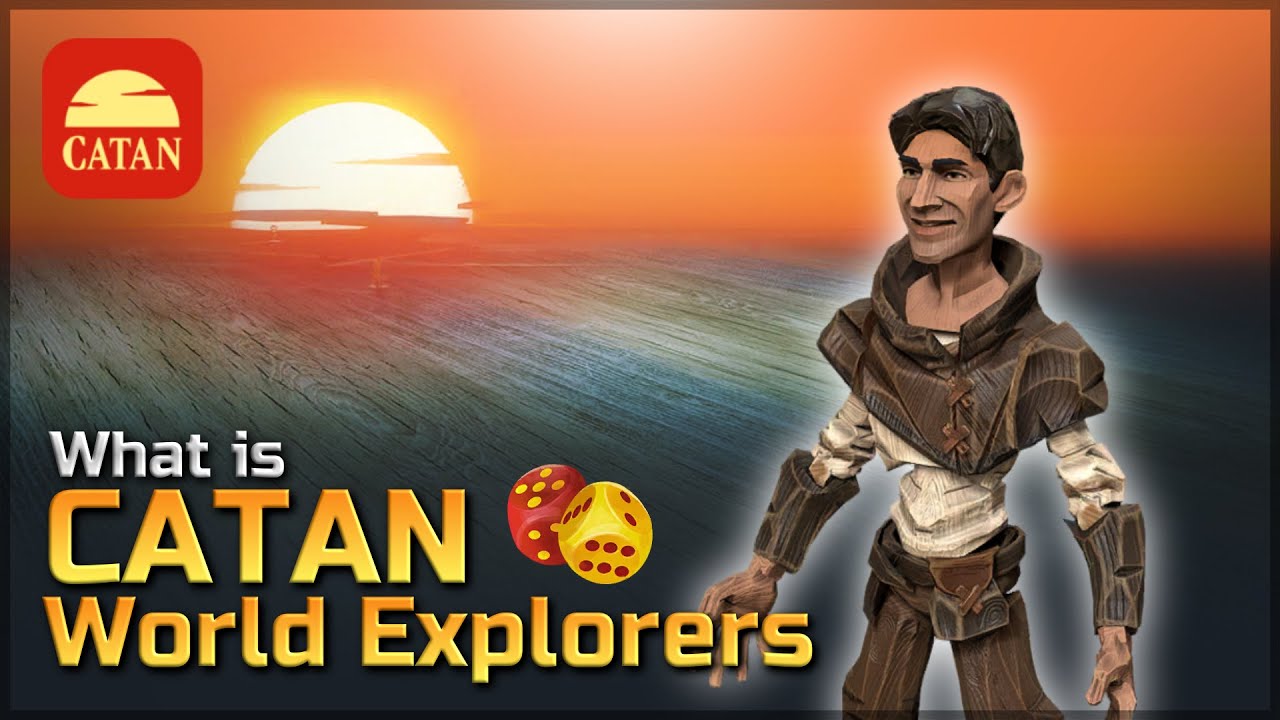
*JUST RELEASED* CATAN World Explorers is in Beta!
Catan: World Explorers attempted to translate the popular board game into a location-based AR experience where players gathered resources, traded, and built settlements in the real world, claiming territory using GPS. Its appeal was the blending of complex strategy with physical movement.
Since the core gameplay is a complex 2D strategy map and resource management interface, this game functions best via Sideloading as a fixed 2D application in the VR environment. You can use the virtual pointer to manage trade routes and resource collections on the massive floating display, turning the headset into a portable strategy monitor.
The advantage of playing this via sideloading is the sheer comfort of managing a complex strategy game on an enormous screen while sitting comfortably. You lose the location-based AR element entirely, as the headset cannot fulfill the game's demands for GPS-based territory claiming. Essentially, you are turning a location-based AR strategy game into a private, fixed-screen mobile strategy game for the VR platform.
See Also: Best Augmented Reality Apps
Frequently Asked Questions
How Is The Battery Life Affected When Streaming An AR Mobile Game To A VR Headset?
Playing AR mobile games in this way is a major battery drain on both devices. The phone is running the game, GPS, and casting software simultaneously, while the VR headset is using high-power passthrough cameras and rendering the large virtual screen. Expect usage time to be significantly reduced, often by 50% or more, compared to normal use for both devices.
What Is The Difference Between Sideloading And Screen Casting?
Screen Casting means the game runs on your phone, and the VR headset is just a spectator monitor. The phone handles all the input, graphics processing, and GPS. Sideloading means the game's Android file (APK) is installed and runs nativelyon the headset's operating system, attempting to utilize its hardware and processing power, though it often lacks proper AR/input support.
Are There Any Performance Gains From Using A High-end Gaming Phone For Casting?
Yes. Since Screen Casting relies entirely on the phone to run the game, a high-end gaming phone with a faster processor and dedicated cooling will provide a smoother, higher-framerate video stream to the headset, minimizing the input latency and improving the overall viewing experience.
Why Do Some AR Games Have A Native MR Equivalent On The Meta Quest Store?
These are typically games that were simple to port or whose mechanics (like placing objects on a table) naturally translate to the headset's spatial tracking. Developing a full native MR version ensures full optimization, controller/hand tracking support, and proper utilization of the headset’s depth sensors, creating a qualitatively superior, non-janky experience.
What Is The Biggest Input Problem When Playing These Games In VR?
The input mismatch. Most AR mobile games require multi-touch input (pinching, swiping, two-finger gestures), which is impossible to replicate accurately or comfortably using a single virtual pointer controlled by a VR controller or hand tracking. Simple tapping games work best; complex gestures often fail.
Do I Need To Be Connected To Wi-Fi To Play Streamed AR Mobile Games In A VR Headset?
Yes, for the streaming/casting itself. Even if the game doesn't require Wi-Fi, the headset and your phone must be on the same local Wi-Fi network to transmit the video stream from the phone to the headset. If you are outdoors, you need a mobile hotspot or a strong local connection.
Can I Damage My VR Headset By Sideloading Games?
No. Sideloading is a feature of the Android-based VR ecosystem. The risks are software-related: the sideloaded app may crash, consume too much battery, or simply not work, but it will not cause permanent hardware damage to the headset itself.
Final Thoughts
The convergence of AR mobile games and VR/MR headsets is less about seamless integration today and more about ingenious workarounds. My experiments confirm that if a game relies on simple, fixed-screen tapping like Orna or benefits immensely from visual scale like The Walking Dead or a great AR monster encounter, the effort to bridge the two is worth it.
If a game demands complex gestures, zero latency, or continuous, safe real-world movement, the mobile phone remains the superior device. The future lies in Native MR Ports, where developers build the game from the ground up for spatial computing. Until then, we XR adventurers will keep using screen casting and sideloading to bring our favorite pocket worlds into our personalized virtual theaters.
If you are intrigued by this hybrid gaming experience, please share this article with your fellow gamers. It’s time we all started pushing the boundaries of what our headsets can do!